
PlaygroundImage outputGuided
Create My Retro Yearbook Portrait
Transforms a current portrait into a believable school-yearbook photo from a chosen decade. Why it matters: people judge a photo in a second.
Scanned · no issuesReady to use
Prompt
Transform the attached portrait into a retro school-yearbook photograph.

Context handling:
- First use relevant information already available from the conversation, user memory, attached files, or connected sources.
- Do not ask the user to repeat information you already have.
- Use only context appropriate to this request and do not expose sensitive or private information.
- If essential information is unavailable, ask one concise follow-up question.
- When a creative preference is not supplied, make a tasteful choice yourself.

Use the decade requested by the user. If none is provided, choose a distinctive retro decade and apply suitable wardrobe, backdrop, lighting, and photographic treatment.

Preserve the subject's recognizable facial structure, skin tone, and identity while applying tasteful period-appropriate hair, clothing, lighting, and photographic texture.

Use a classic head-and-shoulders school-portrait composition. Keep the result believable rather than parodying cultural or protected traits. Do not include school logos, names, captions, watermarks, or real institutional branding.
Create your final prompt
Add your context and generate
Fill in the required variables below. Optional variables can be left blank and will remain as placeholders.
This prompt is ready to generate as written.
Published example
Sample image output
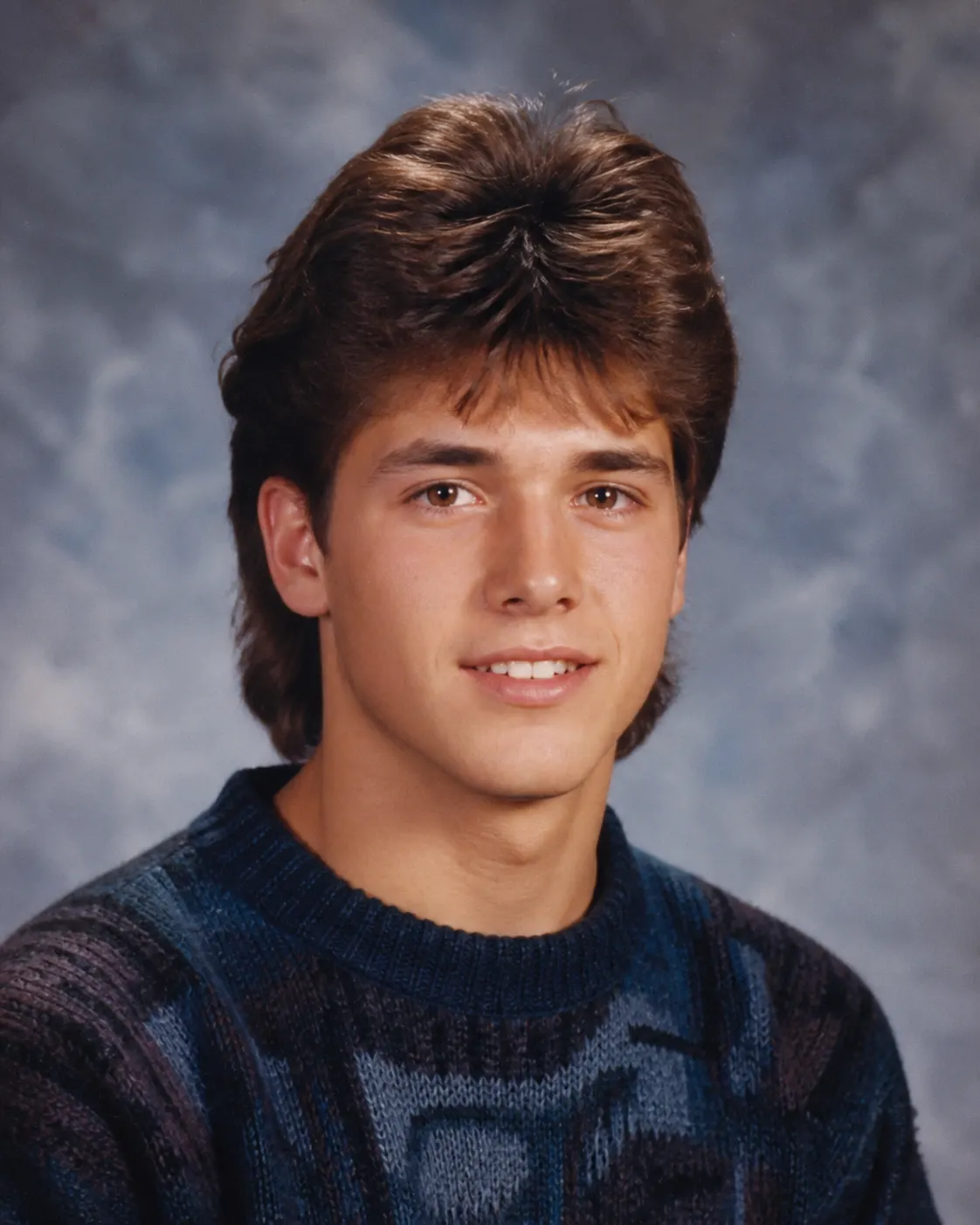
A believable 1980s yearbook portrait with era-appropriate styling, a mottled backdrop, soft focus, and preserved identity.
Example context
Example input
Attach a portrait. Optionally choose a decade such as the 1980s.
Fun AI photo and persona prompts
More in this series
- Create My Alternate-Universe Profession
- Brutally Honest Life Audit
- Create a Cinematic Poster for My Ordinary Day
- Create My 2016 Profile Picture
- Create My Collectible Action Figure
- Create My Personal Sticker Pack
- Turn Us into a Dysfunctional Superhero Team
- Make an Exaggerated Career Caricature
- Explain Me as a Warning Label
- Put Me in Four Impossible Vacations
- My Friend Group as a Sitcom Cast
- Turn Our Group Chat into an Awards Show
Keep exploring
Related prompts
Discussion
Comments (0)
Sign in to leave a comment.
Loading comments…