
PhotoImage outputGuided
Restore an Old Photo Carefully
Repairs damage and improves clarity while preserving identity, age, historical character, and authentic texture. Why it matters: old photos deserve care without fake details.
Scanned · no issuesReady to use
Prompt
Carefully restore the attached old photograph.

Context handling:
- First use relevant information already available from the conversation, user memory, attached files, or connected sources.
- Do not ask the user to repeat information you already have.
- Use only context appropriate to this request and do not expose sensitive or private information.
- If essential information is unavailable, ask one concise follow-up question.
- State important assumptions and never invent facts.

Produce:
One high-resolution restored image without captions or added borders unless requested.

Requirements:
Repair scratches, tears, dust, fading, and uneven exposure while preserving the subjects' identities, facial structure, age, expressions, clothing, composition, period details, and natural photographic texture. Do not beautify, modernize, over-sharpen, replace historically meaningful details, invent missing features without clear evidence, colorize unless requested, or add text, logos, and watermarks.
Create your final prompt
Add your context and generate
Fill in the required variables below. Optional variables can be left blank and will remain as placeholders.
This prompt is ready to generate as written.
Published example
Sample image output
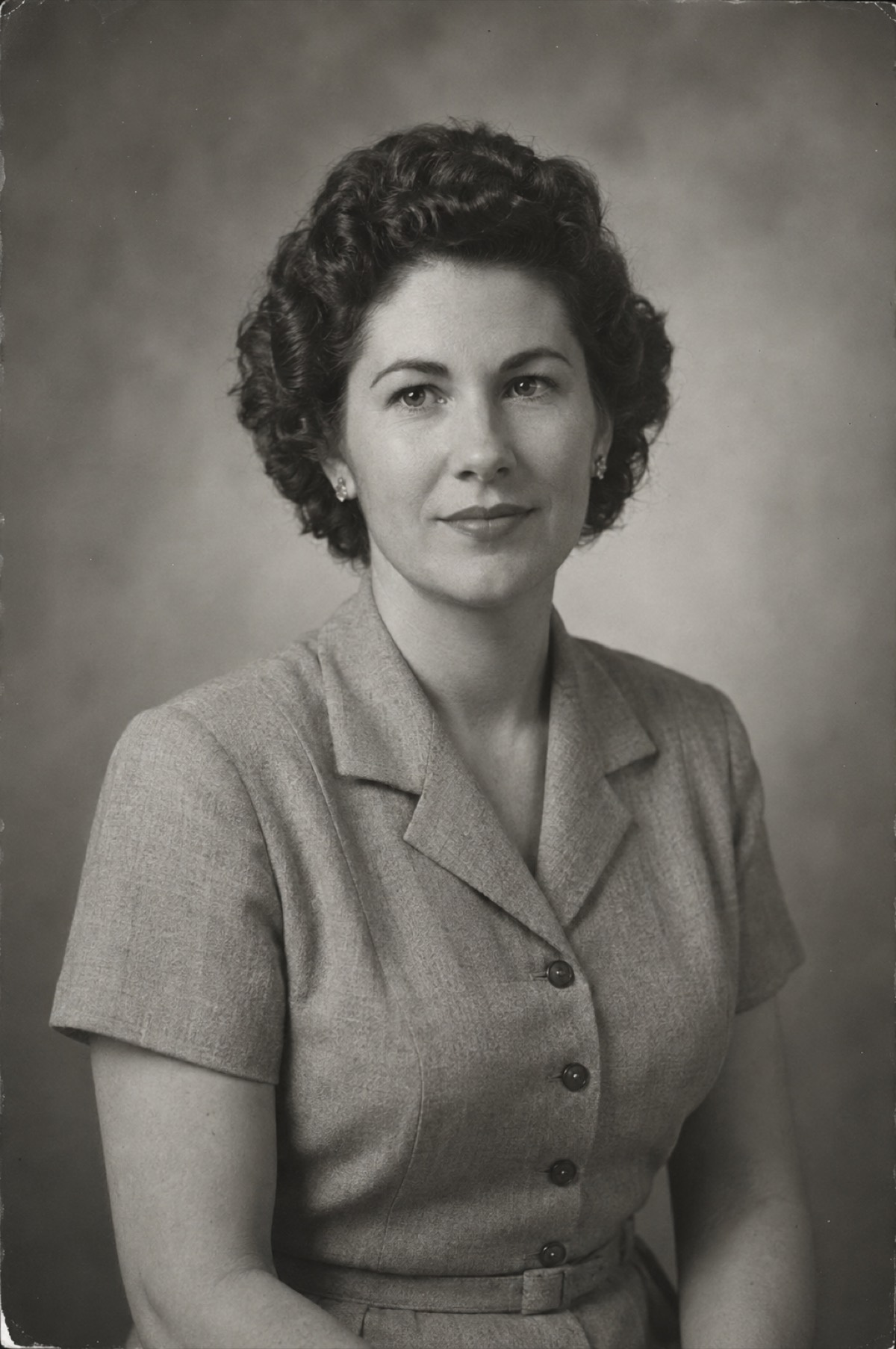
A clean but authentic restored archival portrait retaining natural grain and period character.
Example context
Example input
Attach the highest-quality scan available. Optionally identify areas that must remain untouched or request conservative colorization.
Old photo restoration prompts
More in this series
Keep exploring
Related prompts
Discussion
Comments (0)
Sign in to leave a comment.
Loading comments…